

MySQL Performance Tuning for Real Projects: Practical Techniques That Truly Work
MySQL performance tuning is not only about adding indexes or upgrading a server. In real projects, performance problems usually appear slowly. At first, the application feels fast. After more users join, pages become slower, reports take longer to load, and background jobs start failing.
I have seen many production systems where small database mistakes caused big performance issues. In this guide, I will share practical and often ignored MySQL optimization techniques that make a real difference in live applications.
1. Indexing Smartly, Not Blindly
Most developers know that indexes improve MySQL performance. But many applications suffer because indexes are created without proper planning. In real projects, the problem is usually not missing indexes. The problem is using the wrong indexes.
Instead of adding many single column indexes, focus on composite indexes that match your most common queries. Study your WHERE, ORDER BY, and JOIN conditions carefully. The order of columns in a composite index matters. MySQL follows the leftmost prefix rule, which means it uses the index starting from the first matching column.
Another hidden issue is over indexing. Every index increases disk usage and slows down insert and update operations. If your application writes frequently, too many indexes can reduce overall performance.
A practical example of indexing based on real query patterns
| Column Name | Data Type | Purpose |
|---|---|---|
| delivery_id | INT (Primary Key) | Unique delivery identifier |
| driver_id | INT | Identifies assigned driver |
| customer_id | INT | Identifies customer |
| delivery_status | VARCHAR(20) | Status of delivery |
| delivered_at | DATETIME | Delivery completion time |
| total_amount | DECIMAL(10,2) | Order value |
Frequent Query
SELECT *
FROM deliveries
WHERE driver_id = 8421
AND delivery_status = 'completed';
Without an index, the database scans every row — which becomes slow as data grows.
Smart Composite Index
CREATE INDEX idx_driver_status
ON deliveries(driver_id, delivery_status);
This index matches the query filtering pattern and significantly reduces scanned rows.
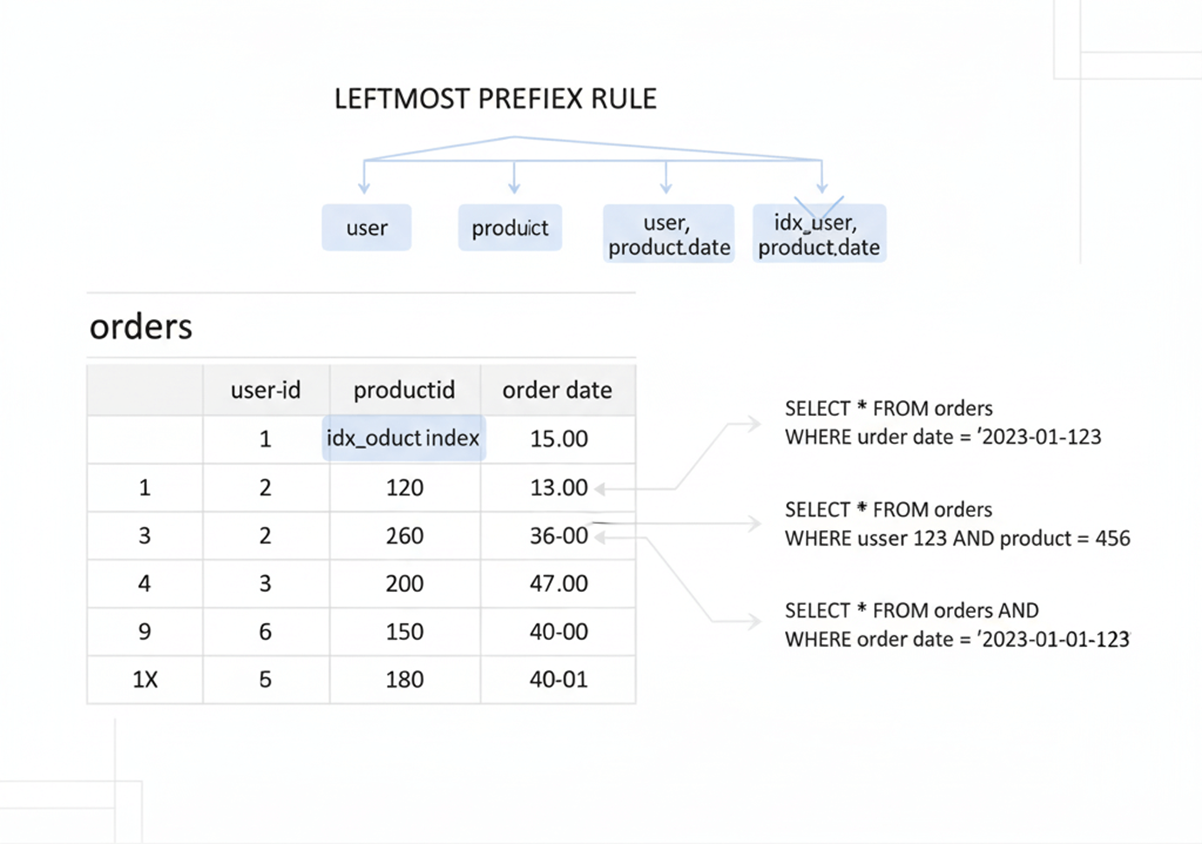
Minimalistic Educational Style
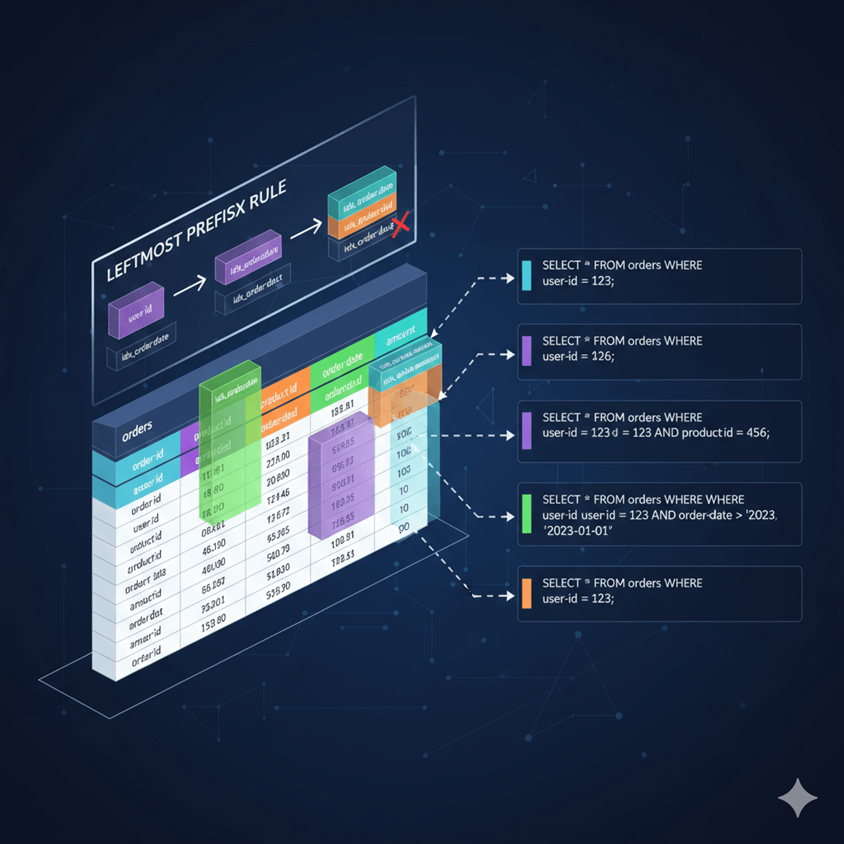
Detailed Infographic Style

3D / Realistic Visualization
Always run the EXPLAIN command and check whether MySQL uses an index or performs a full table scan. This simple habit can save hours of debugging later.
2. Query Design Is More Powerful Than Server Upgrades
When performance drops, many teams immediately think about upgrading hardware. More memory and faster processors help, but bad queries will still run slowly.
Before increasing server size, optimize the query itself
SELECT *
FROM deliveries
WHERE YEAR(delivered_at) = 2025;
This query forces the database to apply a function on every row, preventing index usage and causing a full table scan.
The Wrong Solution
Upgrade server from 8GB RAM to 32GB RAM.
Performance improves slightly — but the inefficient query still scans millions of rows.
Optimized Query Design
SELECT *
FROM deliveries
WHERE delivered_at
BETWEEN '2025-01-01' AND '2025-12-31';
Now the database can use an index on delivered_at, dramatically reducing scanned rows.
| Scenario | Rows Scanned | Execution Time |
|---|---|---|
| Bad Query + Bigger Server | 2,000,000 | 2.4s |
| Optimized Query + Same Server | 8,500 | 0.08s |
One common mistake is using SELECT * in production code. This increases network load and memory usage, especially for large tables. Always select only the columns you need.
Another hidden performance issue is using functions on indexed columns inside WHERE conditions. For example, wrapping a date column with a function can prevent MySQL from using an index. Instead, rewrite the query so that the column remains untouched.
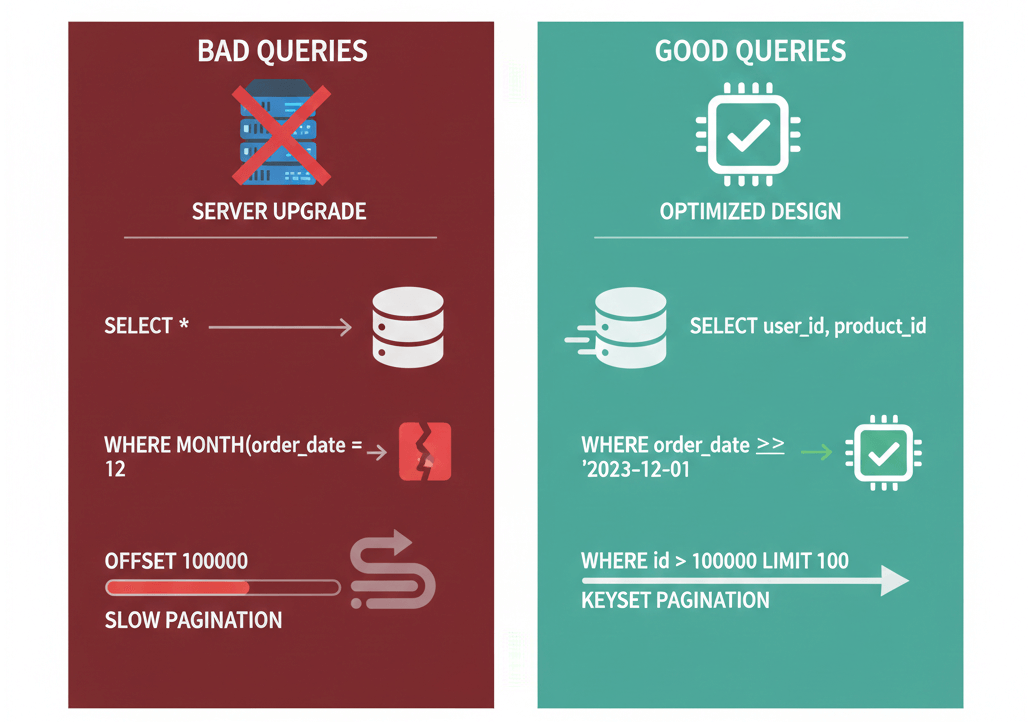
Faster Performance
Pagination is another area where performance suffers. Using large OFFSET values forces MySQL to scan many rows before returning results. For large datasets, consider keyset pagination using indexed columns.Good query design reduces database load, improves response time, and saves infrastructure cost.
3. MySQL Configuration That Most Projects Ignore
Default MySQL settings are not designed for high traffic applications. Many production servers run with default configuration for years.One of the most important settings is innodb_buffer_pool_size. For dedicated database servers, it should use a large portion of available memory. If this value is too small, MySQL constantly reads from disk, which is much slower than reading from memory.
Enable the slow query log in production. Many teams avoid it, thinking it adds overhead. In reality, it is one of the best tools for identifying hidden performance bottlenecks.
Small configuration changes can unlock massive performance improvements
Many production systems run MySQL with default settings. These defaults are designed for compatibility — not performance.
innodb_buffer_pool_size = 128M
max_connections = 151
query_cache_size = 0
On a server with 16GB RAM, this wastes available memory and limits throughput.
Critical Settings to Review
- innodb_buffer_pool_size – Should be 60–70% of RAM for dedicated DB servers.
- max_connections – Too high causes memory exhaustion.
- slow_query_log – Must be enabled to detect bottlenecks.
- innodb_log_file_size – Impacts write performance.
Example Optimized Setup (16GB Server)
innodb_buffer_pool_size = 10G
innodb_log_file_size = 1G
max_connections = 200
slow_query_log = 1
Proper tuning allows MySQL to cache more data in memory, reducing disk I/O and dramatically improving performance.
| Scenario | Avg Query Time | CPU Usage | Disk I/O |
|---|---|---|---|
| Default Settings | 1.8s | High | Heavy |
| Optimized Configuration | 0.25s | Stable | Reduced |
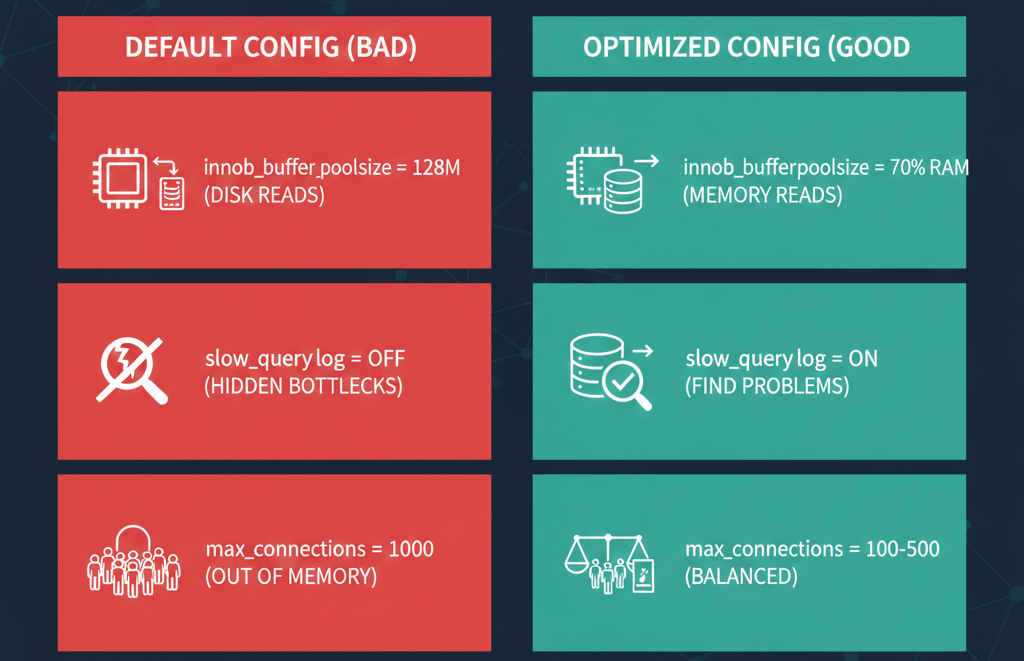
Faster Performance
Also review max_connections carefully. Setting it too high can exhaust memory. Setting it too low can block users. Proper balance is important.Configuration tuning is often the easiest way to gain noticeable performance improvement without changing application code.
4. Schema Design Decisions That Affect Speed
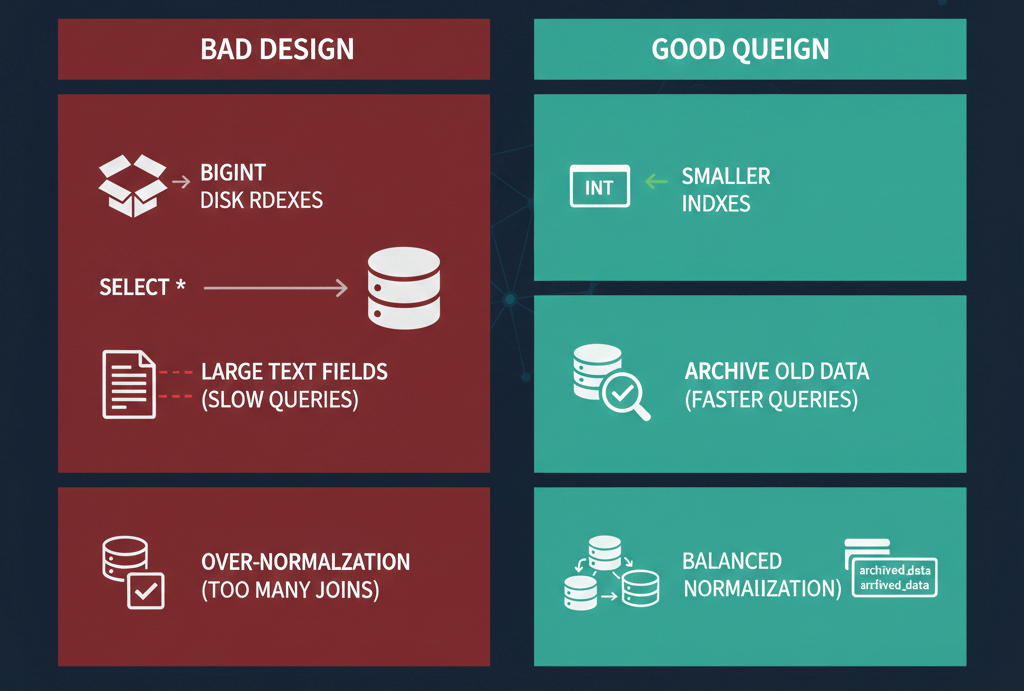
Database schema design has long term impact on performance. A poorly designed schema becomes difficult to optimize later.Choose correct data types. For example, using BIGINT when INT is enough increases storage and index size. Larger indexes mean fewer rows fit into memory.
Avoid storing very large text fields in frequently queried tables. Move them to separate tables if possible. This keeps primary tables smaller and faster.Normalization is important, but over normalization can create too many joins. In high traffic systems, carefully planned denormalization sometimes improves performance.
Performance starts at schema level — not after production problems appear
CREATE TABLE orders (
  id VARCHAR(255) PRIMARY KEY,
  customer_email VARCHAR(255),
  order_date VARCHAR(100),
  status TEXT,
  total_amount VARCHAR(50)
);
Using incorrect data types (VARCHAR for dates and numbers, TEXT for status) increases storage size, slows indexing, and hurts query performance.
Common Schema Mistakes
- Using VARCHAR instead of proper numeric or date types
- Overusing TEXT or large fields unnecessarily
- No foreign key relationships
- Ignoring normalization or over-normalizing
- Choosing wrong primary key type
Optimized Schema Example
CREATE TABLE orders (
  id BIGINT UNSIGNED AUTO_INCREMENT PRIMARY KEY,
  customer_id BIGINT UNSIGNED,
  order_date DATETIME,
  status VARCHAR(20),
  total_amount DECIMAL(10,2),
  INDEX (customer_id)
);
Correct data types reduce storage, improve indexing efficiency, and allow the database engine to optimize comparisons properly.
| Schema Type | Storage Usage | Query Speed | Index Efficiency |
|---|---|---|---|
| Poorly Designed | High | Slow | Low |
| Optimized Schema | Reduced | Fast | High |
Faster Performance
Also think about archiving old data. Many tables grow for years without cleanup. Large tables slow down backups, indexing, and query execution.
5. Understanding InnoDB Behavior in Real Workloads
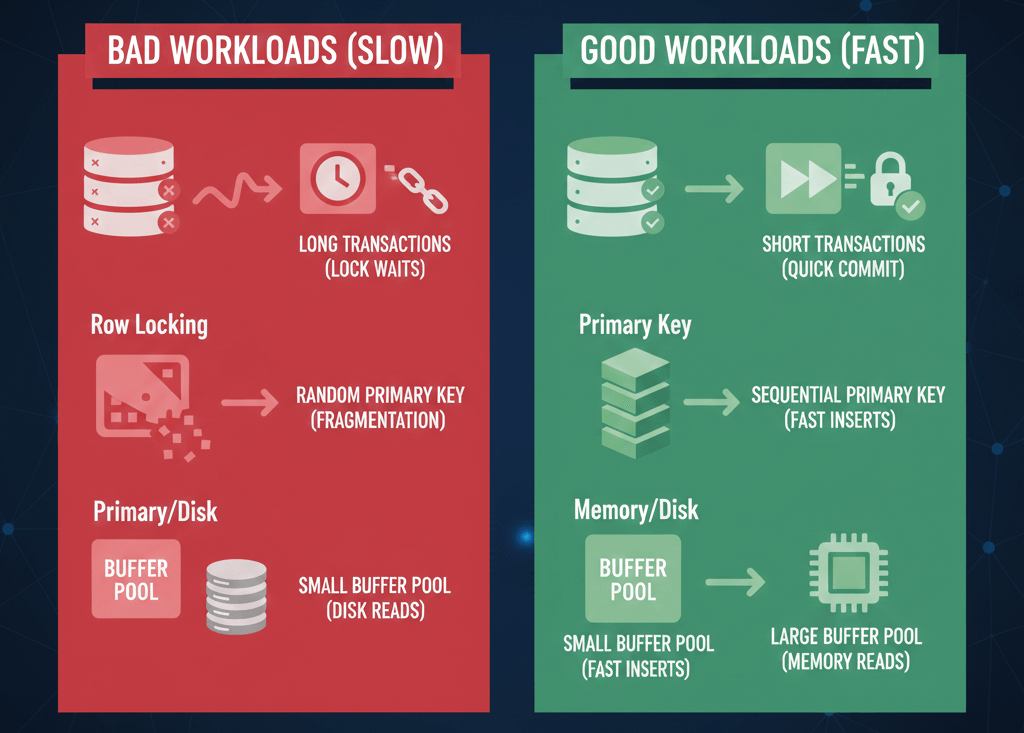
Most modern MySQL applications use InnoDB. But many developers do not fully understand how it works internally.InnoDB uses row level locking, which improves concurrency. However, poor query patterns can still cause lock waits and deadlocks. Long running transactions are especially dangerous. Keep transactions short and commit quickly.
Faster Performance
Primary key design is also important. InnoDB stores data clustered around the primary key. A random primary key, such as a long string, can increase fragmentation. Sequential primary keys improve insertion performance.Understanding how InnoDB manages memory, logs, and locks helps you design applications that scale smoothly under load.
6. Continuous Monitoring Is the Hidden Advantage
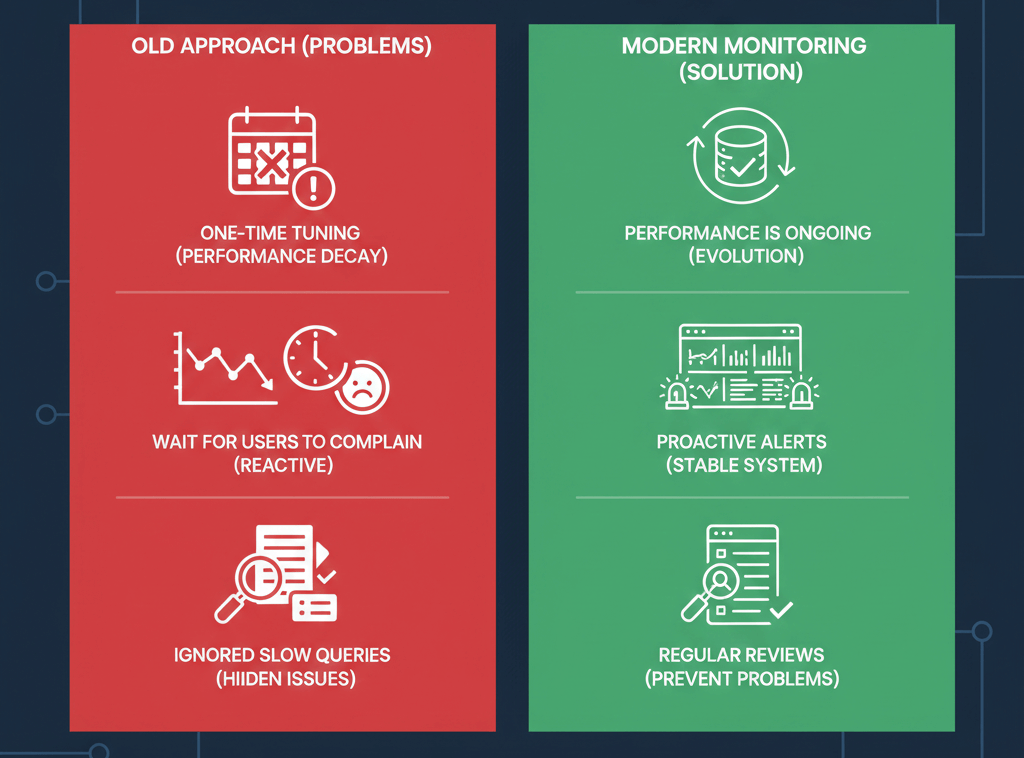
Performance tuning is not a one time task. Real projects evolve. New features add new queries. Traffic increases. Data grows.Monitor query execution time, disk input and output, CPU usage, memory consumption, and lock waits. Review slow queries regularly. Small delays today can become serious problems tomorrow.
Faster Performance
Set up alerts before users start complaining. Proactive monitoring creates stable and reliable systems.
Final Thoughts
MySQL performance tuning for real projects requires attention to detail. It is not about secret tricks. It is about understanding how your queries work, how your schema is designed, how memory is used, and how users interact with your application.
Small improvements, applied consistently, create strong and scalable systems. If you focus on indexing strategy, clean query design, correct configuration, efficient schema structure, and continuous monitoring, your application will remain fast even as it grows.
Well optimized databases reduce costs, improve user satisfaction, and build trust in your software. That is the real goal of performance tuning.